
Grounded in your material
Questions come from your notes and PDFs, so they use your course's notation and stay inside its scope.
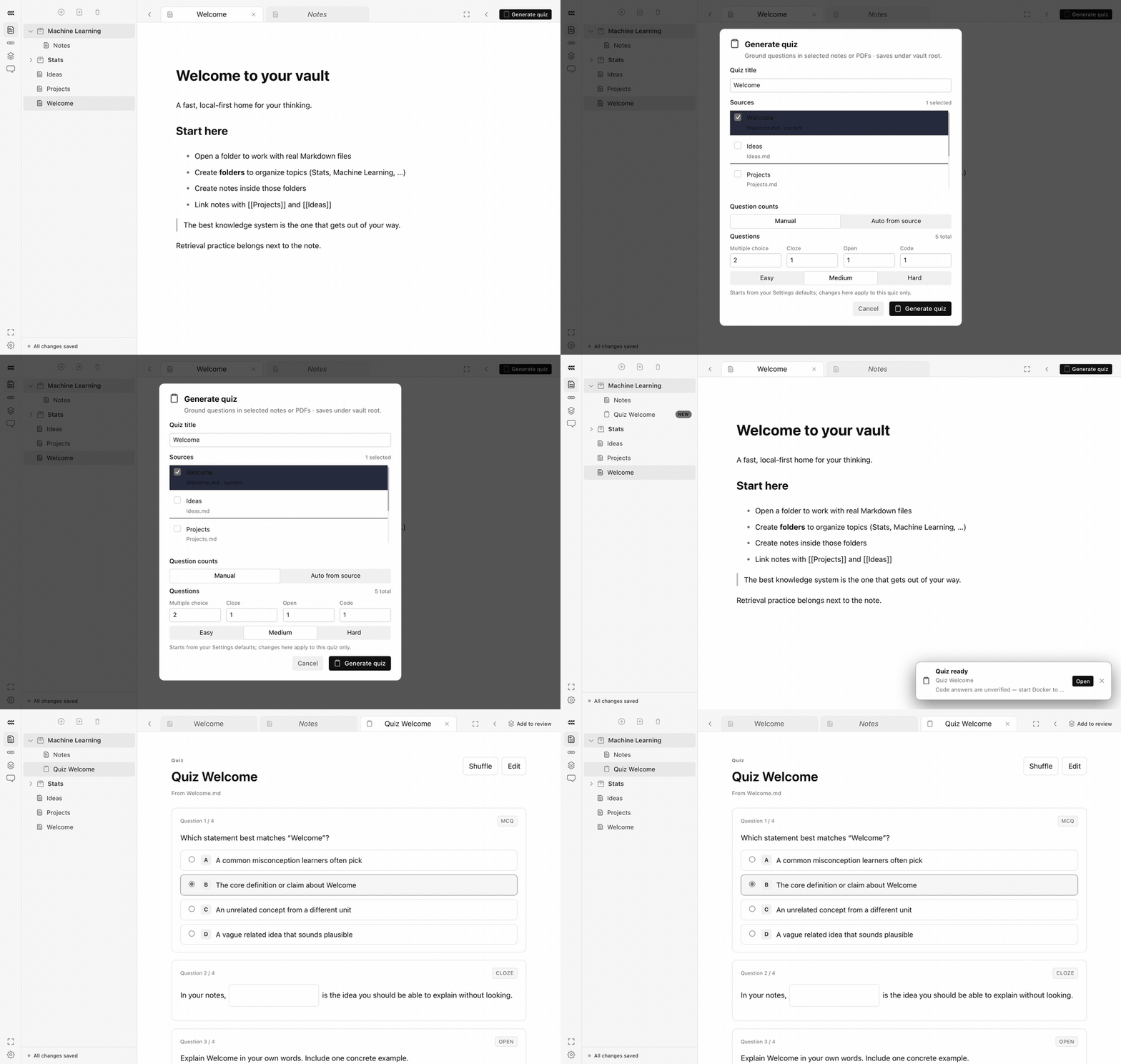
Pick one or more notes, or a PDF and a page range, and generate a quiz from it. Try multiple-choice, fill-in-the-blank, or written questions, then review what you missed.
Recorded in Concrete
How it works
Choose the notes and PDFs to practice from. Narrow a PDF to the pages your exam covers.
Concrete makes questions from your material so you can practice what your class covers.
Take the quiz in the app. Open answers are scored against the key points a strong answer covers.
Up close
An illustrative example, drawn in the app's Concrete theme.
Multiple choice
A ball is thrown straight up. At the top of its path, its acceleration is
Cloze
An eigenvector of A satisfies Av = λv, for some scalar λ.
Open
Explain why the area under a velocity-time graph equals displacement.
Code · Predict the output
What does this print?
xs = [3, 1, 2]
xs.sort()
print(xs[-1] - xs[0])
Why it matters
Questions come from your notes and PDFs, so they use your course's notation and stay inside its scope.
Quizzes are saved as files in your vault, so you can review, edit, and retake them as the exam gets closer.
Next — 02
Flashcards
Recall cards in your notes, on a spaced schedule.